 Everyroom
Starter
Free quotefor a PC or tablet setup
- Dashboard on your PC or tablet
- Up to 10 lights and plugs
- 3 automations
Your lights, plugs, heat pump, cameras and robot vacuum on one tidy screen on your wall. Designed around your home and installed for you.
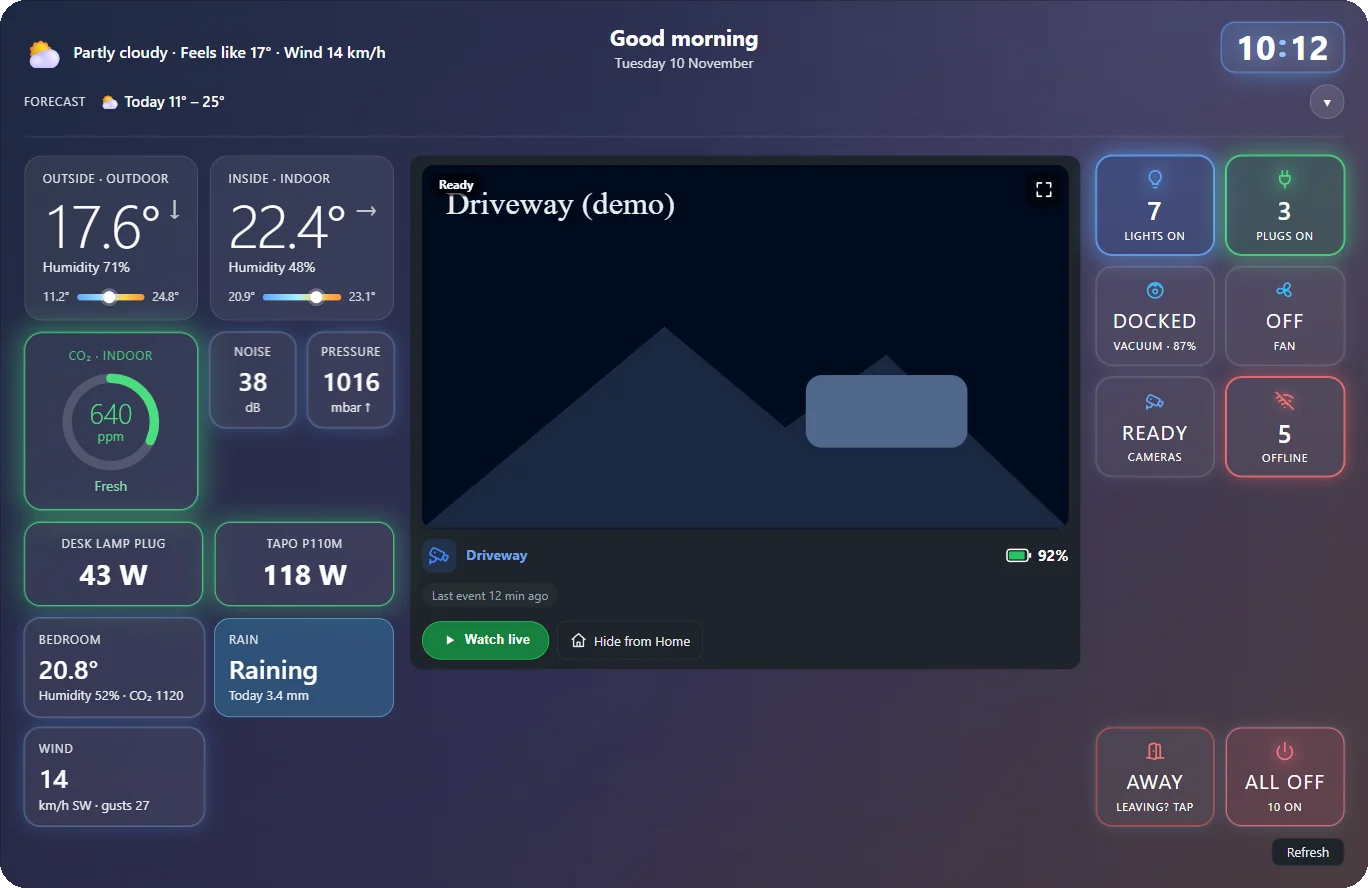
Each brand wants its own app, and nobody else in the family learns them. Everyroom puts it all in one place that anyone can use by tapping a tile.
Brightness and colour for every light, sorted into your rooms. One tile turns off the lights, plugs and fan when you head to bed.
Plugs that measure power show what they are using now, and what they have used today and this month.
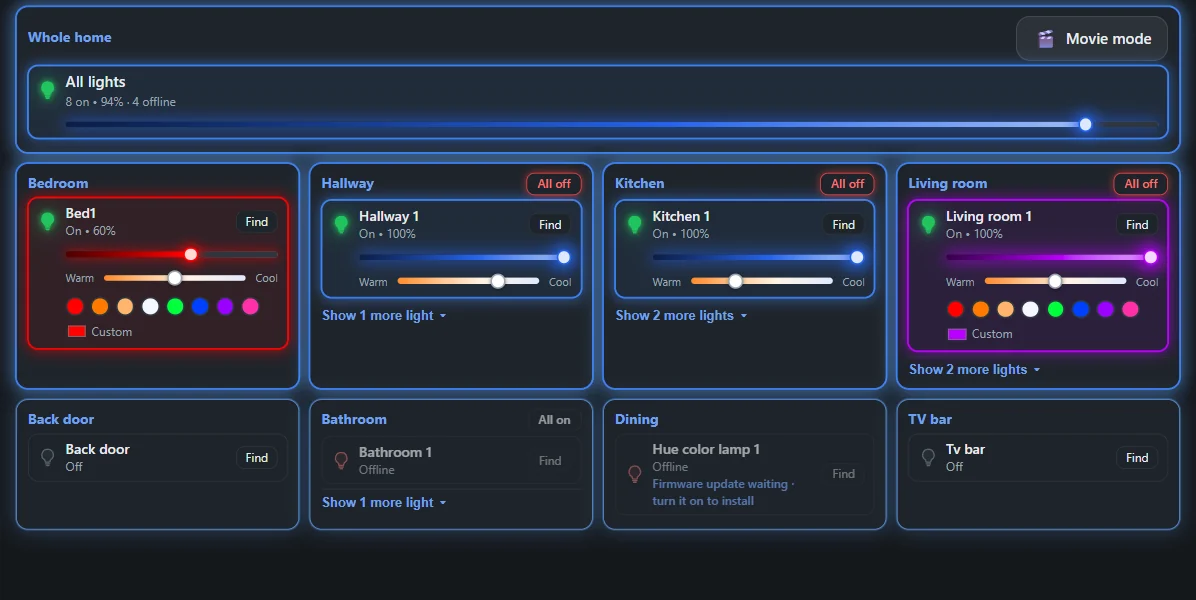
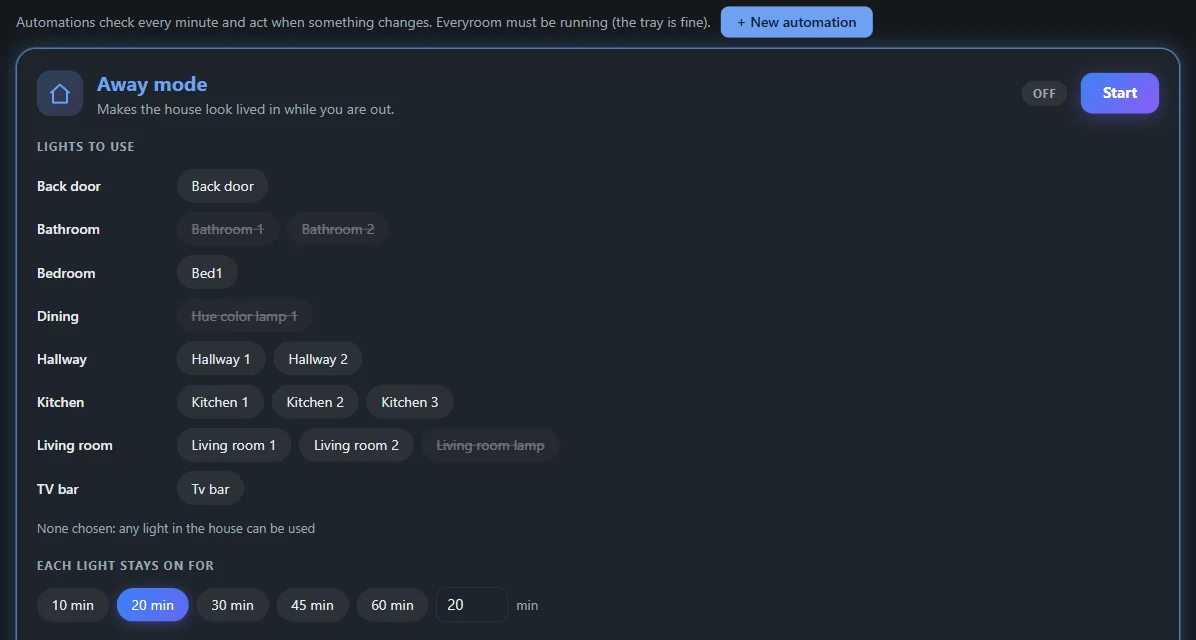
Press Away as you leave. Everything switches off, then one light at a time comes on for as long as you choose, moving from room to room.
You pick the lights, the hours, and whether it only runs after dark. If the outdoor sensor sees movement, the back door light still comes on.
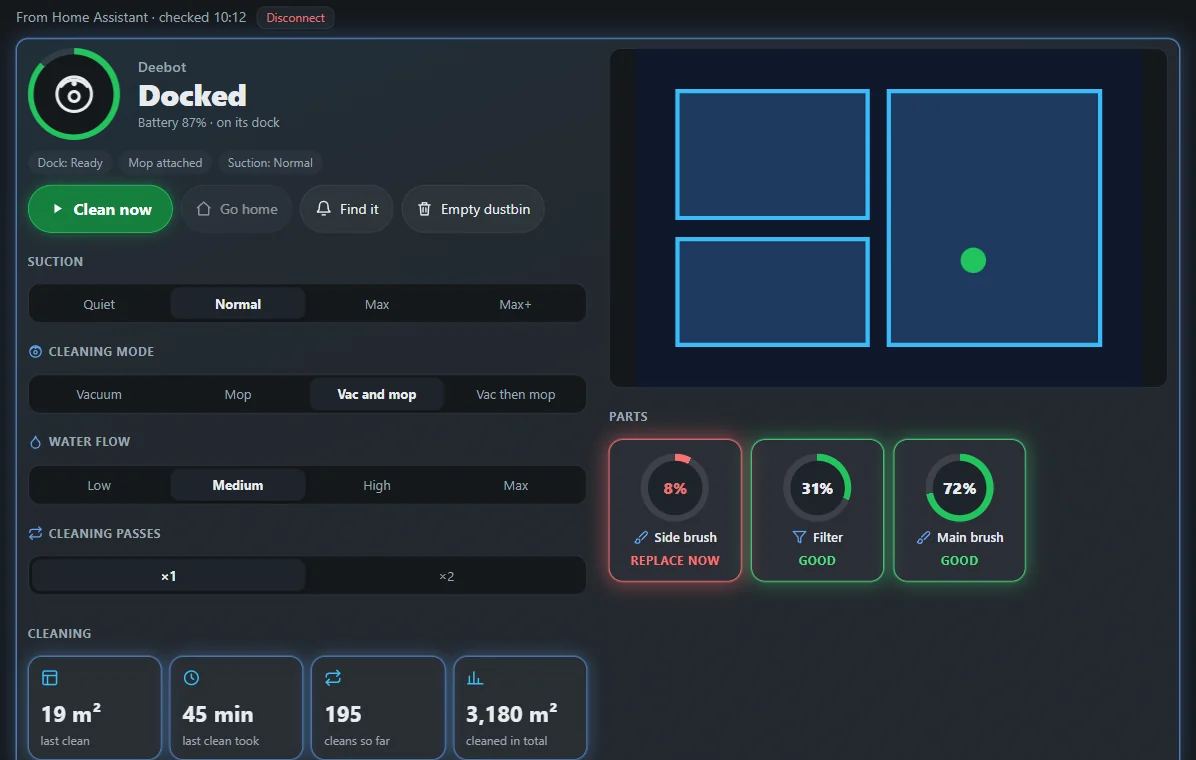
Choose the rooms, and whether to vacuum, mop or do both. See the map and a log of recent cleans.
If it gets stuck, or a brush or filter is worn out, the screen tells you what is wrong.
See who is at the driveway from the same screen. When a camera spots someone, you get a banner and a flashing tile within seconds.
Pictures and live video sit behind a PIN, and a camera in a child's room can stay off the Home screen.
Add it to your home screen and it opens like any other app when you are on your home Wi-Fi.
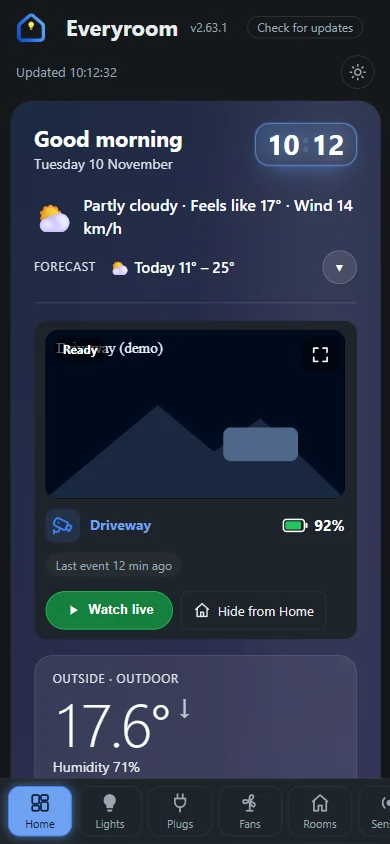
Set up and running in a real home.
Plugs, cameras and robot vacuums that connect through the hub. We test yours before we promise it.
These need more work on our side. Tell us if you have them, and the most asked for go first.
A small, quiet computer sits next to your router and runs your screen. It uses about as much power as a single light bulb.
You type in your own logins and PINs during setup. We never ask for them and never keep them.
We handle bulbs, plugs, hubs and tablets. Anything wired into your mains is done by a registered electrician.
Tell us about your home and what annoys you about it now. We will give you a price.
We plan a screen around your rooms and the gear you have, and tell you what is worth adding.
We set up the hub, mount the screen, connect everything and show the household how it works.
Want changes later, a new device added, or help when something stops? The care plan covers it.
Every home is different, so every job gets its own quote. Tell us what you have and what you want, and we will give you a price before any work starts.
Free quotefor a PC or tablet setup
Free quotehardware can be included
Free quotefor the whole house
Care plan. Remote changes, updates, new devices added, and help when something stops working. It is optional.
Not sure which one fits? Ask for a quote and we will suggest one.
Often not. If your brands are on our list, we can usually connect what you own. We will tell you when we quote if something needs changing.
Only if you want the care plan. Your screen keeps working without it.
Today Everyroom works on your home Wi-Fi. A private link for use away from home is on the way, so ask us where it is up to.
Everyday controls are open to the household. Settings, rooms and automations need a PIN.
Most jobs are plug-in. If you want something wired in, such as a new wall switch, a registered electrician does that part.
A free quote, with no obligation to buy anything.